Author: Build Websites

  • Will AI Replace Web Designers? What Businesses Should Know in 2026

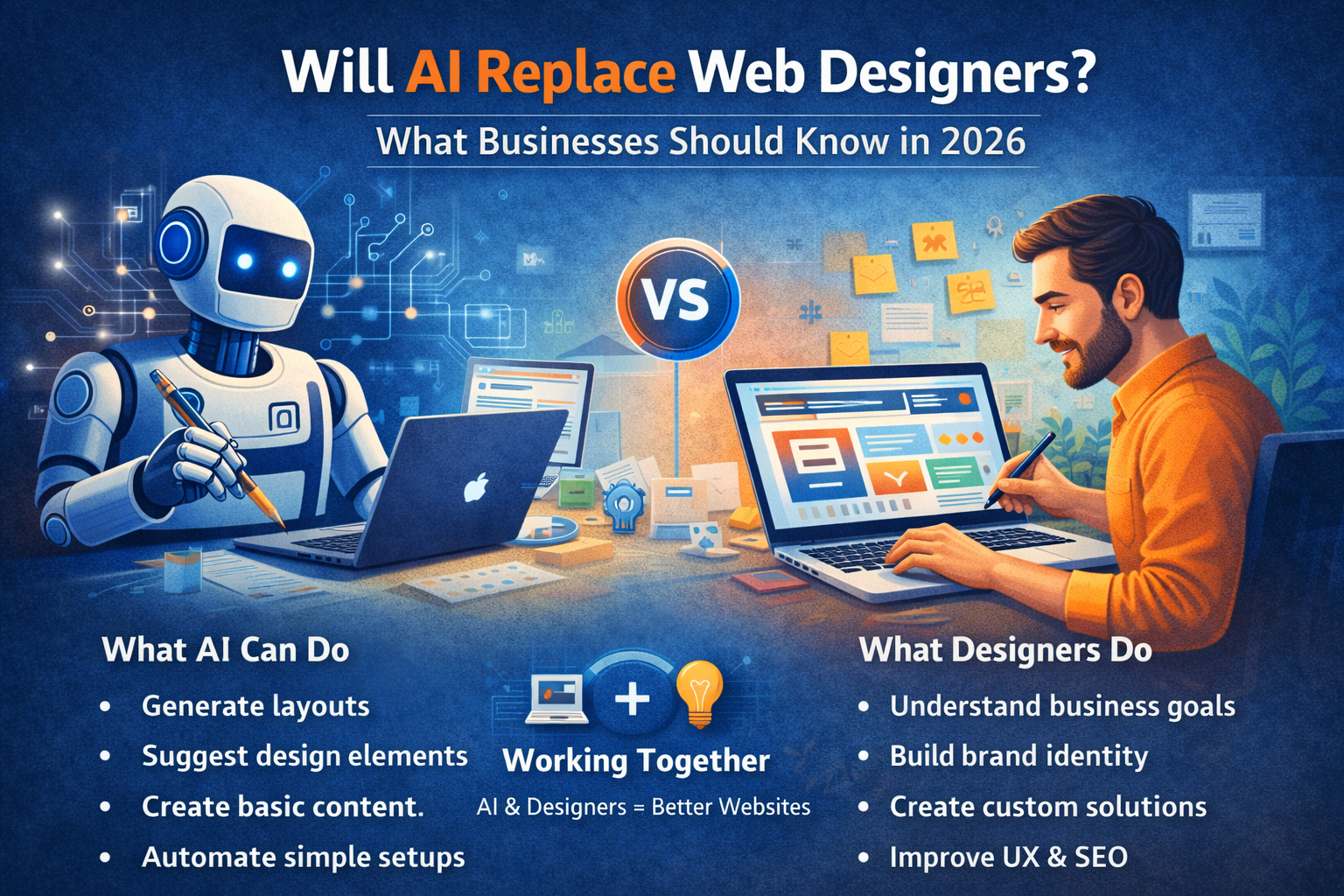
    Will AI Replace Web Designers? What Businesses Should Know in 2026

    Artificial Intelligence is transforming the way websites are designed and developed. From AI website builders to automated design tools, creating a website has become faster and more accessible than ever.

    But this raises an important question for businesses:
    Will AI replace web designers in 2026?

    The short answer is — No. But it will change their role significantly.

    Let’s understand how.

    What AI Can Do in 2026

    AI-powered tools can now:

    • Generate website layouts instantly
    • Suggest design elements and color schemes
    • Create basic content and images
    • Automate simple website setups
    • Optimize layouts based on user behavior

    These tools are useful for quick, basic websites and small projects.

    Where AI Falls Short

    Despite its capabilities, AI still has limitations.

    AI cannot:

    • Understand your unique business goals deeply
    • Build brand identity and emotional connection
    • Create strategic user journeys
    • Deliver fully customized solutions
    • Replace human creativity and decision-making

    AI works based on data — not true understanding.

    Why Businesses Still Need Web Designers

    A professional web designer does more than just design a website.

    They:

    • Understand your business and target audience
    • Create conversion-focused layouts
    • Plan user experience and navigation
    • Ensure SEO, performance, and scalability
    • Customize features based on your needs

    A designer builds a strategy-driven website, not just a template.

    AI + Web Designers = The Future

    In 2026, the best results come from combining AI with human expertise.

    Web designers use AI to:

    • Speed up design processes
    • Analyze user behavior
    • Improve performance
    • Automate repetitive tasks

    This allows designers to focus more on creativity, strategy, and results.

    The Risk of Fully AI-Built Websites

    Relying only on AI tools can lead to:

    • Generic designs that look similar
    • Limited customization
    • Poor brand differentiation
    • Weak SEO structure
    • Lower conversion rates

    Businesses that want to grow cannot rely solely on automation.

    What Businesses Should Do in 2026

    Instead of replacing designers, businesses should:

    • Use AI as a supporting tool
    • Invest in professional web design
    • Focus on user experience and performance
    • Build a website tailored to their goals

    The goal is not just to build a website — but to build one that performs.

    Final Thoughts

    AI is changing the web design industry, but it is not replacing web designers. It is making them more powerful and efficient.

    In 2026, the real advantage lies in combining technology with human expertise.

    At Build Websites, we leverage modern tools along with strategic design thinking to create websites that not only look good but also deliver real business results.
  • Why WooCommerce Is the Best Choice Compared to Shopify and Other E-Commerce Platforms

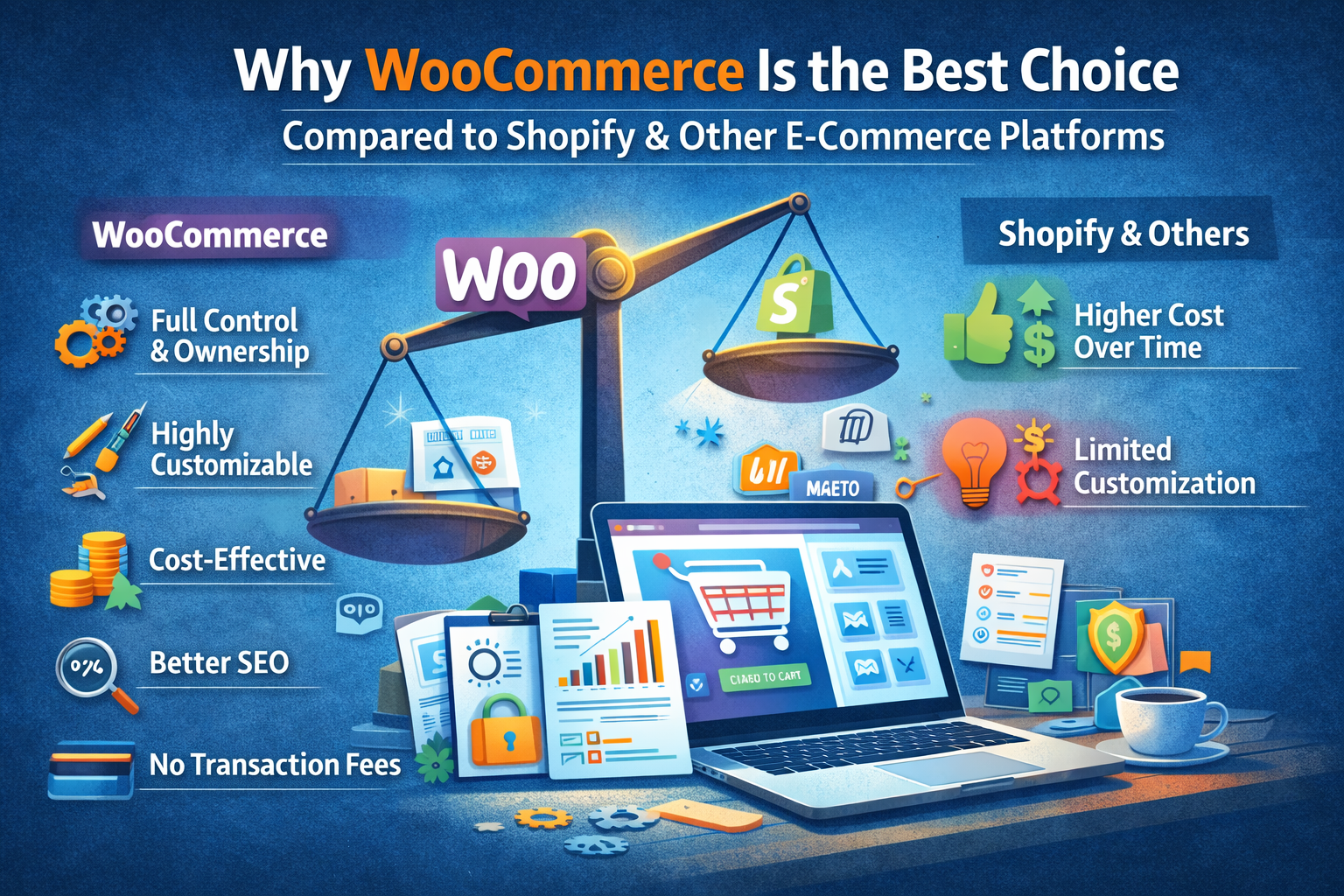
    Why WooCommerce Is the Best Choice Compared to Shopify and Other E-Commerce Platforms

    Choosing the right e-commerce platform is one of the most important decisions for any online business. With options like Shopify, Wix, Magento, and others available, it can be confusing to decide which one is right.

    However, in 2026, WooCommerce stands out as one of the most powerful, flexible, and cost-effective e-commerce solutions — especially for growing businesses.

    Let’s explore why WooCommerce is often the best choice.

    Complete Ownership and Control

    One of the biggest advantages of WooCommerce is that it gives you full control over your website.

    Unlike Shopify and other hosted platforms:

    • You own your website and data
    • You are not locked into a monthly subscription model
    • You can customize every aspect of your store

    With WooCommerce, your business is not dependent on platform limitations.

    Highly Customizable

    WooCommerce is built on WordPress, which means endless customization possibilities.

    You can:

    • Design your store exactly how you want
    • Add custom features without restrictions
    • Use thousands of plugins and themes
    • Scale as your business grows

    Other platforms often limit customization unless you pay extra or upgrade plans.

    Cost-Effective in the Long Run

    While Shopify charges monthly fees, transaction fees, and app costs, WooCommerce can be much more cost-efficient over time.

    With WooCommerce:

    • No mandatory monthly platform fee
    • Flexible hosting options
    • Free and paid plugins based on your needs

    This makes it ideal for startups and growing businesses.

    Better SEO Capabilities

    WooCommerce, powered by WordPress, is highly SEO-friendly.

    You get:

    • Full control over URLs
    • Advanced SEO plugins
    • Better content management for blogs and pages

    Compared to other platforms, WooCommerce offers more flexibility for ranking on search engines.

    No Transaction Fees

    Many platforms charge additional transaction fees unless you use their payment gateways.

    WooCommerce allows you to:

    • Use any payment gateway
    • Avoid unnecessary transaction charges
    • Optimize payment options for your customers

    Scalability for Growing Businesses

    Whether you’re selling 10 products or 10,000, WooCommerce can scale with your business.

    You can:

    • Add unlimited products
    • Integrate advanced tools
    • Expand functionality anytime

    This makes it suitable for both small and large businesses.

    Strong Community and Support

    WooCommerce has a massive global community.

    This means:

    • Regular updates and improvements
    • Easy access to developers and resources
    • Continuous innovation

    You’re never stuck without solutions.

    When Shopify or Other Platforms Might Work

    While WooCommerce is powerful, platforms like Shopify can be useful for:

    • Beginners who want a quick, ready-made setup
    • Businesses that prefer an all-in-one managed solution

    However, these conveniences often come with limitations and ongoing costs.

    Final Thoughts

    WooCommerce offers the perfect balance of flexibility, control, scalability, and cost-efficiency. For businesses that want long-term growth and complete ownership, it is often the best choice compared to Shopify and other e-commerce platforms.

    At Build Websites, we specialize in building high-performing WooCommerce stores that are designed for growth, conversions, and long-term success.

  • SEO in 2026: What Has Changed and What Still Works

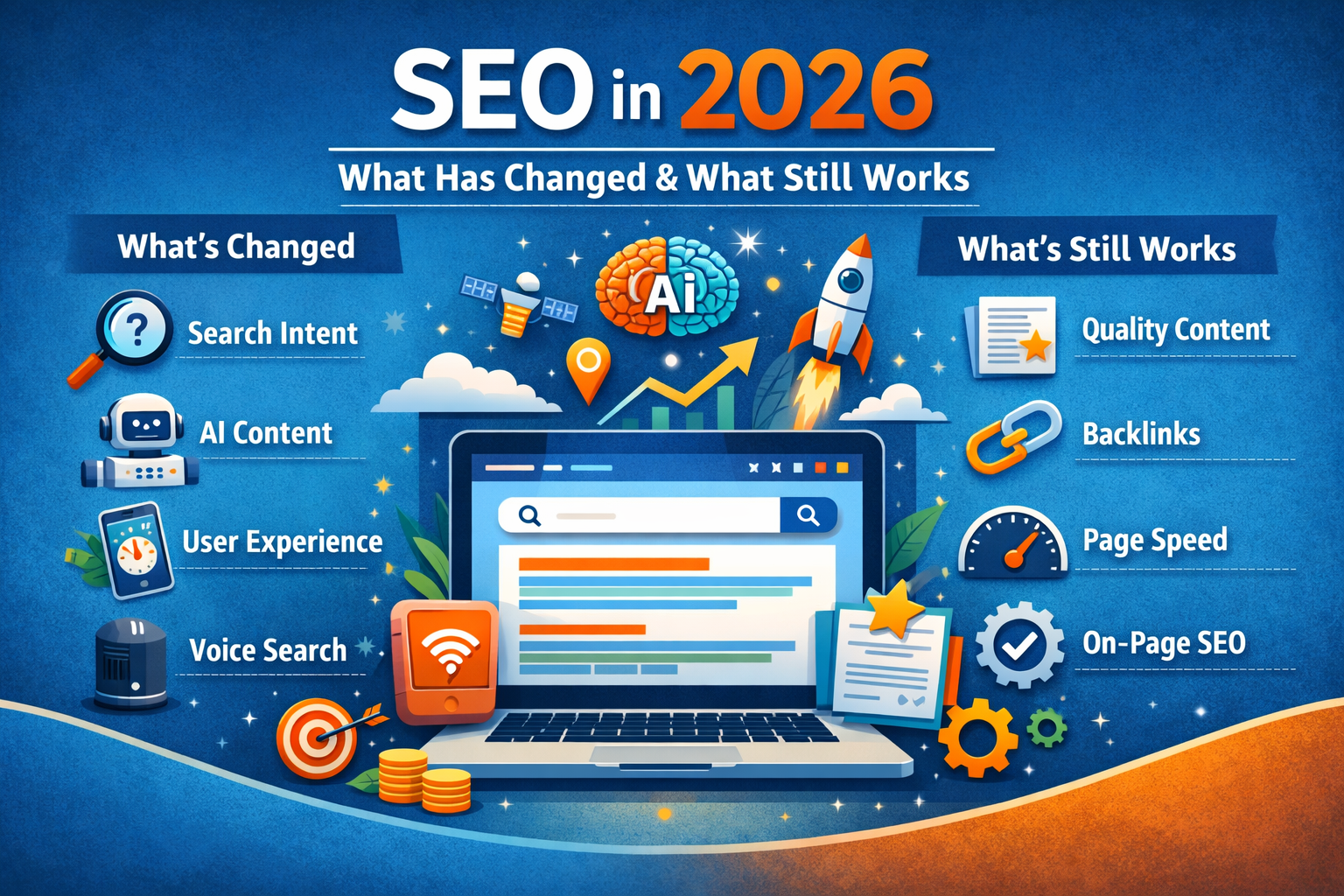
    SEO in 2026: What Has Changed and What Still Works

    Search Engine Optimization continues to evolve every year. In 2026, SEO is no longer just about keywords and backlinks — it’s about user experience, intent, authority, and performance.

    Businesses that understand what has changed (and what hasn’t) will stay ahead in search rankings and online visibility.

    Let’s break it down.

    What Has Changed in SEO in 2026

    1. Search Is More Intent-Driven Than Ever

    Search engines now focus heavily on understanding user intent. It’s no longer about matching keywords exactly — it’s about delivering the most relevant and helpful result.

    Content must:

    • Solve real problems
    • Answer specific questions
    • Match search intent (informational, commercial, transactional)

    2. AI-Generated Content Is Everywhere — But Quality Wins

    AI tools have made content creation easier, but search engines prioritize original, valuable, and human-focused content.

    Thin, repetitive, or low-value AI content no longer performs well. Authentic expertise and clear structure matter more than ever.

    3. User Experience Is a Ranking Factor

    Website speed, mobile usability, and overall experience directly impact rankings.

    In 2026, search engines reward websites that:

    • Load fast
    • Are mobile-optimized
    • Have clear navigation
    • Reduce bounce rates

    Good UX equals better SEO.

    4. Topical Authority Matters More Than Single Keywords

    Instead of ranking one blog for one keyword, search engines now favor websites that cover topics in depth.

    Creating clusters of related content builds authority and improves overall rankings.

    5. Voice and Conversational Search Continue to Grow

    Search queries are becoming more conversational. Content structured with natural language and clear headings performs better in voice search results.


    What Still Works in SEO (And Always Will)

    1. High-Quality Content

    Helpful, well-structured content remains the foundation of SEO. Clear headings, valuable information, and user-focused writing still drive results.

    2. Strong On-Page Optimization

    Basics still matter:

    • Proper title tags
    • Meta descriptions
    • Clean URL structure
    • Internal linking
    • Optimized images

    Technical fundamentals are still essential.

    3. Backlinks From Trusted Sources

    Quality backlinks remain a powerful ranking signal. However, relevance and authority matter more than quantity.

    4. Website Speed and Performance

    Fast websites have always performed better — and they still do. Speed improves both rankings and conversions.

    5. Consistency

    Websites that regularly update content and maintain SEO efforts continue to outperform competitors who treat SEO as a one-time task.


    Conclusion

    SEO in 2026 is smarter, more user-focused, and more competitive. While tactics evolve, the core principle remains the same: create value for users.

    Businesses that focus on performance, relevance, and authority will continue to win in search rankings.

    At Build Websites, we build SEO-ready websites designed for long-term growth, not short-term tricks.

  • How to Reduce Cart Abandonment in 2026

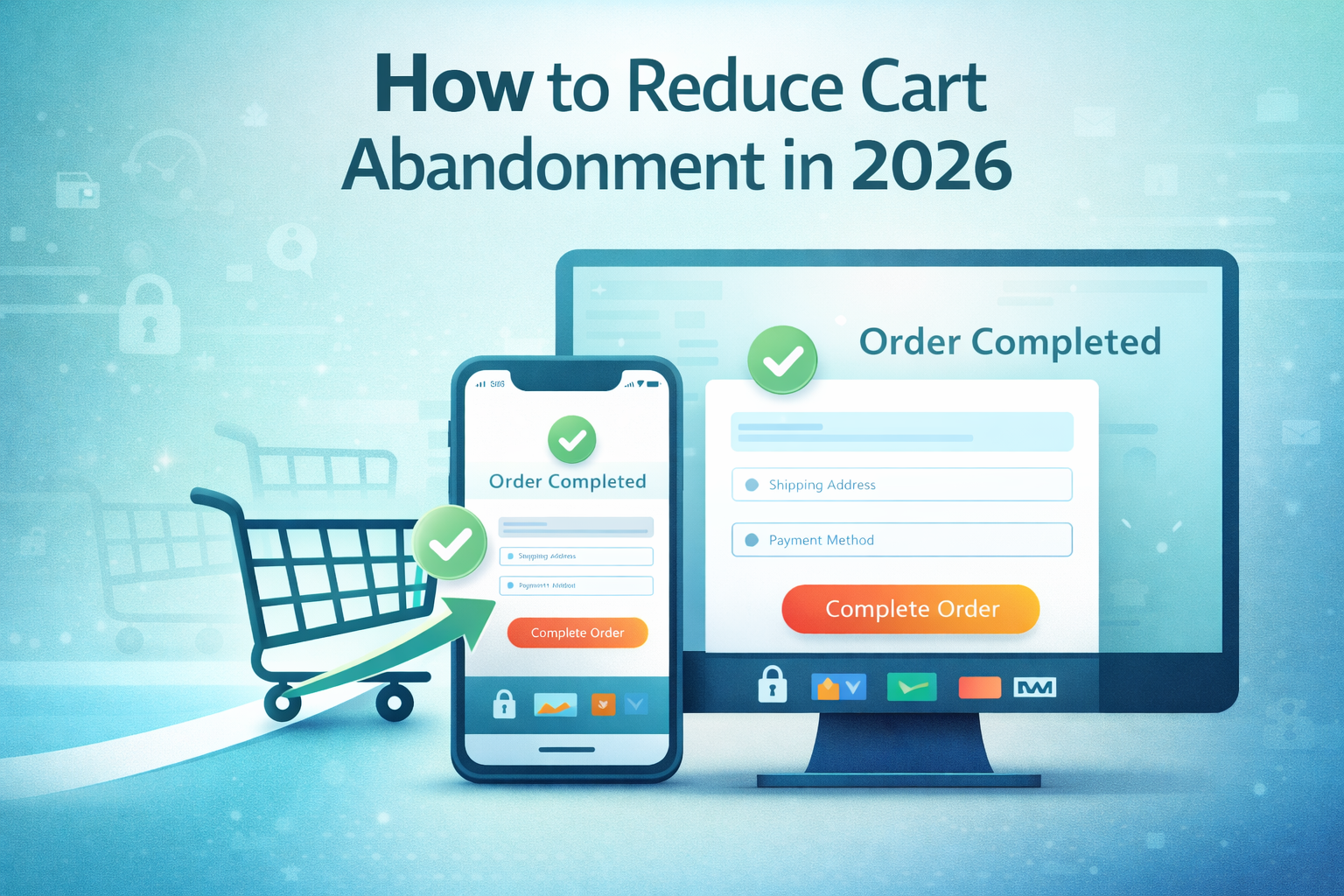
    How to Reduce Cart Abandonment in 2026

    Cart abandonment continues to be one of the biggest challenges for online businesses. In 2026, customer expectations are higher than ever—buyers want speed, trust, and a seamless checkout experience. Even small friction points can cause potential customers to leave without completing their purchase.

    Let’s explore why cart abandonment happens and how you can reduce it effectively.

    Why Shoppers Abandon Carts

    Understanding the problem is the first step. Common reasons include:

    • Complicated or lengthy checkout process
    • Unexpected shipping or tax charges
    • Slow website loading speed
    • Limited payment options
    • Lack of trust signals or security assurance
    • Mandatory account creation

    Simplify the Checkout Process

    In 2026, fewer clicks mean more conversions.

    • Use a single-page or minimal-step checkout
    • Allow guest checkout
    • Autofill address and payment details
    • Remove unnecessary form fields

    A smooth checkout experience significantly increases completion rates.

    Be Transparent With Pricing

    Hidden costs are a major turn-off.

    • Show shipping charges early
    • Clearly display taxes and additional fees
    • Offer free shipping thresholds when possible

    Transparency builds trust and reduces last-minute drop-offs.

    Optimize Website Speed and Performance

    Speed matters more than ever.

    • Optimize images and scripts
    • Use fast, reliable hosting
    • Ensure mobile performance is top-notch

    A slow checkout page can instantly drive customers away.

    Offer Multiple Payment Options

    Modern shoppers expect flexibility.

    • UPI, credit/debit cards, net banking
    • Wallets like Paytm, PhonePe, Google Pay
    • Buy Now Pay Later (BNPL) options

    The more payment choices you provide, the lower the friction.

    Build Trust at Checkout

    Customers won’t pay if they don’t feel safe.

    • Display SSL security badges
    • Show trusted payment gateway logos
    • Add customer reviews or testimonials near checkout
    • Clearly mention return and refund policies

    Trust signals play a huge role in final purchase decisions.

    Use Smart Cart Recovery Strategies

    Technology in 2026 allows smarter follow-ups.

    • Automated abandoned cart emails
    • WhatsApp reminders with product links
    • Exit-intent popups offering discounts
    • Personalized reminders based on browsing behavior

    Timely nudges can recover a significant percentage of lost carts.

    Ensure Mobile-First Checkout Design

    Most users shop on mobile.

    • Large buttons and readable text
    • Easy thumb navigation
    • Mobile-friendly payment flows

    If your mobile checkout isn’t smooth, you’re losing sales daily.

    Conclusion

    Reducing cart abandonment in 2026 isn’t about tricks—it’s about creating a seamless, trustworthy, and customer-first shopping experience. When your website is fast, transparent, and easy to use, customers are far more likely to complete their purchase.

    At Build Websites, we design conversion-focused e-commerce websites that help businesses turn visitors into paying customers.

  • Core Web Vitals in 2026: What Website Owners Must Know

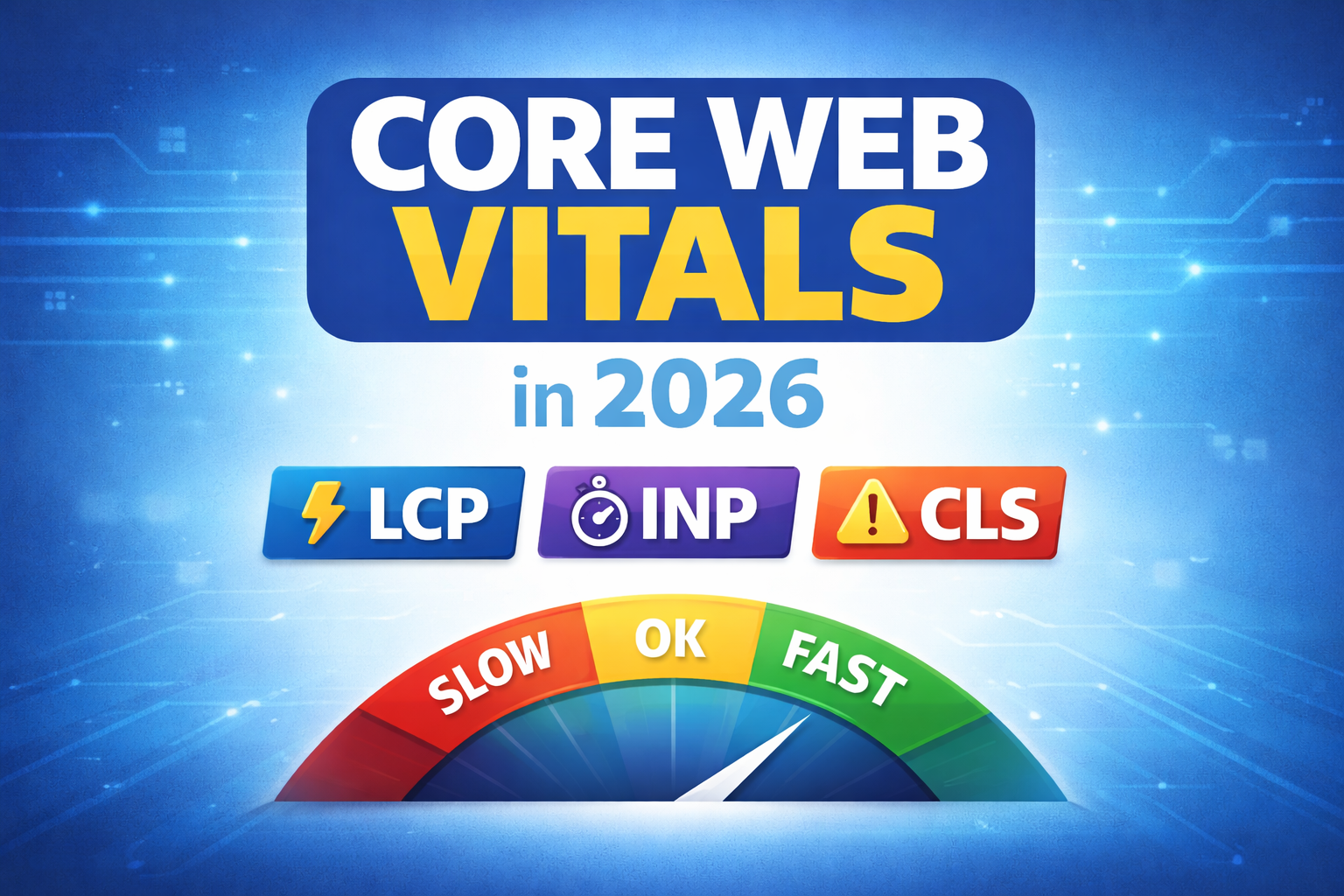
    Core Web Vitals in 2026: What Website Owners Must Know

    Website performance is no longer just a technical concern — it’s a business priority. In 2026, Core Web Vitals continue to play a major role in how users experience your website and how search engines rank it.

    If your website is slow, unstable, or frustrating to use, visitors won’t stay — and Google won’t rank it well. Understanding Core Web Vitals helps you stay competitive, visible, and conversion-ready.

    Let’s break down what website owners must know in 2026.

    What Are Core Web Vitals?

    Core Web Vitals are a set of performance metrics introduced by Google to measure real user experience on a website. They focus on three critical aspects:

    • Loading speed
    • Interactivity
    • Visual stability

    In 2026, these metrics are even more refined and user-centric.

    1. Largest Contentful Paint (LCP)

    LCP measures how quickly the main content of a page loads. This could be a hero image, banner, or main text block.

    In 2026, users expect near-instant loading. A slow LCP makes your website feel heavy and unreliable.

    To improve LCP:

    • Optimise images and videos
    • Use fast, reliable hosting
    • Enable caching and CDN
    • Avoid unnecessary scripts

    2. Interaction to Next Paint (INP)

    INP has replaced older interaction metrics and measures how responsive your website feels when users click, tap, or interact.

    A future-ready website must react instantly to user actions. Delays create frustration and reduce trust.

    To improve INP:

    • Minimise heavy JavaScript
    • Use efficient themes and plugins
    • Avoid blocking scripts
    • Optimise animations and transitions

    3. Cumulative Layout Shift (CLS)

    CLS measures visual stability — how much elements move around while the page loads.

    Unexpected shifts cause users to click the wrong buttons, abandon pages, or lose trust.

    To reduce CLS:

    • Set fixed dimensions for images and ads
    • Avoid late-loading fonts and banners
    • Maintain consistent layout spacing

    Why Core Web Vitals Matter More in 2026

    In 2026, search engines prioritise experience over keywords. A website that feels smooth, fast, and stable naturally performs better in rankings.

    Core Web Vitals directly impact:

    • SEO rankings
    • Bounce rate
    • Conversion rate
    • Mobile usability
    • Brand credibility

    A well-optimised website keeps users engaged longer and encourages action.

    Mobile Performance Is Critical

    Most website traffic now comes from mobile devices. Google primarily evaluates Core Web Vitals based on mobile performance.

    If your mobile experience is slow or unstable, desktop optimisation alone won’t help. Mobile-first optimisation is mandatory in 2026.

    Tools to Measure Core Web Vitals

    Website owners should regularly monitor performance using:

    • Google Search Console
    • PageSpeed Insights
    • Lighthouse reports

    These tools show real-world performance data and highlight areas for improvement.

    Common Mistakes Website Owners Still Make

    • Ignoring performance after website launch
    • Using too many plugins or heavy themes
    • Uploading unoptimised images
    • Choosing cheap or overloaded hosting
    • Not testing updates before publishing

    Avoiding these mistakes can dramatically improve your Core Web Vitals.

    How Build Websites Helps

    At Build Websites, we design and optimise websites with Core Web Vitals in mind from day one. From performance-focused design to clean development and ongoing optimisation, we ensure your website meets 2026 standards — not outdated ones.

    Conclusion

    Core Web Vitals in 2026 are about delivering a fast, smooth, and frustration-free experience. Websites that prioritise performance will rank better, convert more users, and build long-term trust.

    If you want your website to stay competitive in 2026 and beyond, Core Web Vitals cannot be ignored.

  • What Makes a Website “Future-Ready” in 2026?

    What Makes a Website “Future-Ready” in 2026?

    The digital world is evolving faster than ever. A website that looks modern today can feel outdated within a year if it isn’t built with the future in mind. In 2026, a future-ready website is not just about design — it’s about performance, adaptability, intelligence, and trust.

    So what truly makes a website future-ready in 2026? Let’s break it down.

    1. Mobile-First and Mobile-Optimised by Default

    In 2026, most users interact with websites exclusively through mobile devices. A future-ready website is designed mobile-first, not adjusted later for mobile.

    This means fast loading on mobile networks, thumb-friendly navigation, readable text, and seamless interactions across all screen sizes.

    2. Lightning-Fast Performance

    Speed is no longer optional. Users expect websites to load almost instantly, and search engines reward fast sites with better rankings.

    A future-ready website focuses on:

    • Optimised images and media
    • Clean, lightweight code
    • Efficient hosting and caching
    • Strong Core Web Vitals scores

    Faster websites lead to better user experience, higher engagement, and more conversions.

    3. AI-Powered Features

    Artificial Intelligence is shaping how users interact with websites. In 2026, future-ready websites often include:

    • AI chatbots for instant support
    • Smart search and content recommendations
    • Personalised user experiences
    • Automated lead qualification

    AI helps websites work smarter, not harder.

    4. Strong Security and Privacy Standards

    Cyber threats are increasing, and users are more aware of data privacy than ever. A future-ready website prioritises security from day one.

    This includes SSL encryption, regular updates, secure hosting, malware protection, and compliance with privacy regulations. A secure website builds trust and protects both the business and its users.

    5. SEO-Ready for Modern Search

    Search engines in 2026 focus on experience, intent, and content quality. A future-ready website is built with SEO in mind, not added later.

    Key elements include proper site structure, fast loading pages, optimised content, accessibility, and compatibility with AI-driven search results.

    6. Scalable and Flexible Architecture

    Your business will grow — and your website should grow with it. A future-ready website is scalable, meaning it can handle new features, higher traffic, and evolving business needs without a complete rebuild.

    Flexible platforms like WordPress, headless CMS, or custom frameworks make future upgrades easier and cost-effective.

    7. Clean, Minimal and Purpose-Driven Design

    In 2026, cluttered websites lose attention quickly. Clean layouts, clear messaging, and intuitive navigation define future-ready design.

    Every section should have a purpose — guiding users toward action, whether that’s contacting you, purchasing a product, or learning more.

    8. Accessibility for All Users

    Future-ready websites are inclusive. Accessibility ensures your website works for users with disabilities and meets global web standards.

    This includes readable fonts, proper colour contrast, keyboard navigation, and screen-reader compatibility — improving usability for everyone.

    9. Easy Maintenance and Regular Updates

    A website is never “done.” Future-ready websites are easy to maintain, update, and monitor.

    From content updates to plugin and security patches, smooth maintenance keeps your website relevant and reliable long-term.

    10. Conversion-Focused Structure

    A beautiful website is useless if it doesn’t convert. Future-ready websites are built around user journeys, clear calls-to-action, trust signals, and friction-free interactions.

    Every page should support a business goal.


    Final Thoughts

    A future-ready website in 2026 is fast, secure, intelligent, scalable, and user-centric. It adapts to changing technology, user behaviour, and business needs — instead of falling behind.

    At Build Websites, we design and develop websites that aren’t just built for today, but prepared for tomorrow. If you want a website that stays relevant, competitive, and high-performing in 2026 and beyond, we’re here to help.

  • What Business Owners Should Know Before Hiring a Web Designer

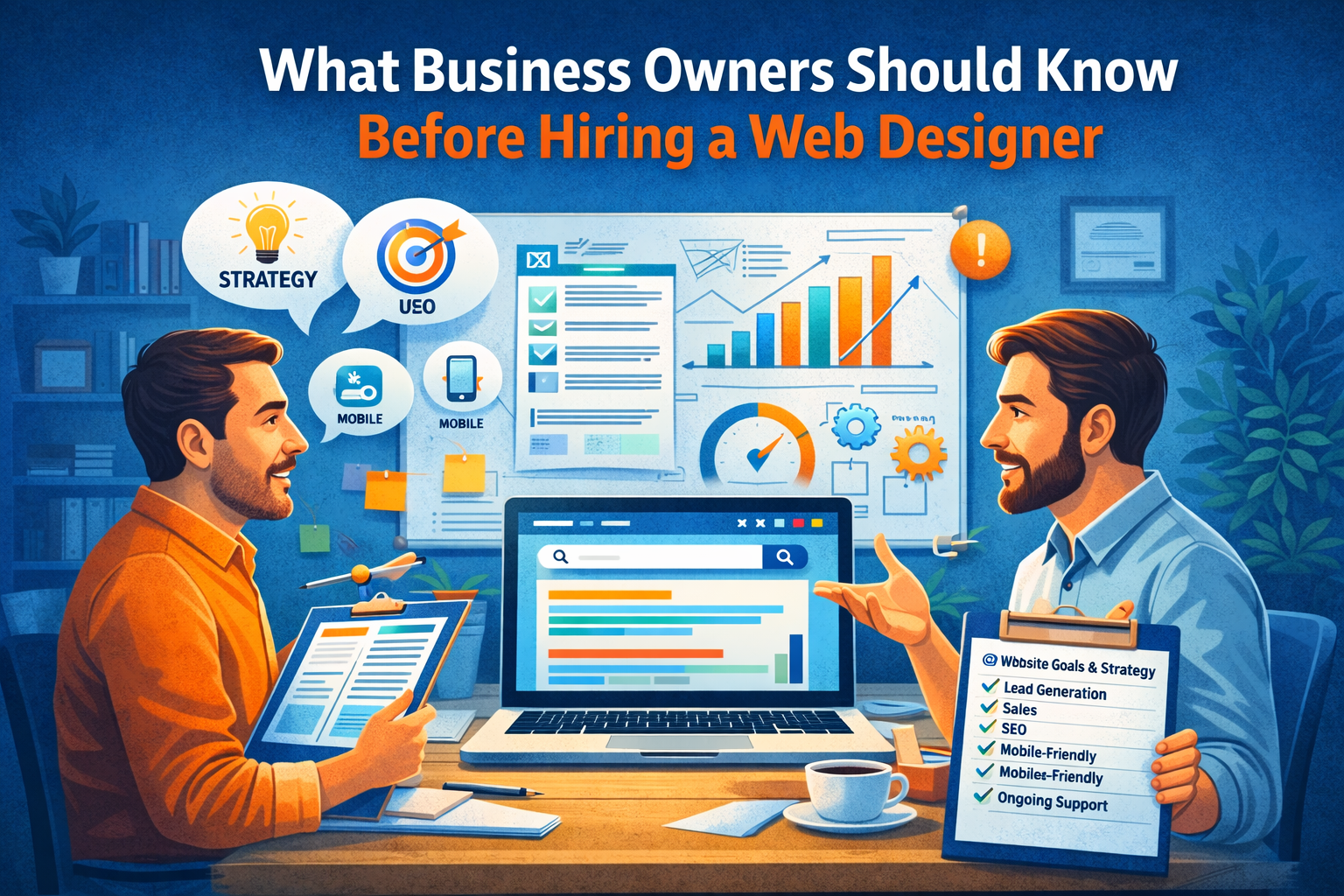
    What Business Owners Should Know Before Hiring a Web Designer

    Hiring a web designer is an important decision. Your website represents your brand, generates leads, and influences how customers perceive your business. Choosing the wrong designer can cost you time, money, and missed opportunities.

    Before you hire a web designer in 2025, here are the key things every business owner should know.

    Understand Your Website Goals First

    Before approaching a designer, be clear about what you want your website to achieve.

    Ask yourself:

    • Do I want to generate leads?
    • Sell products online?
    • Build brand credibility?
    • Provide information or bookings?

    A good designer will ask about your goals — but you should already have clarity.

    Design Is Important, But Strategy Is Critical

    Many business owners focus only on visual design. While aesthetics matter, strategy matters more.

    Your website should be:

    • Conversion-focused
    • SEO-ready
    • Fast-loading
    • Mobile-optimized
    • Easy to navigate

    A beautiful website that doesn’t generate results is not a smart investment.

    Check Their Portfolio Carefully

    Always review previous work.

    Look for:

    • Clean layout and structure
    • Clear call-to-action placement
    • Responsive design
    • Industry experience

    If all their websites look the same, that’s a red flag.

    Ask About SEO and Performance

    A website should be built with SEO fundamentals from the beginning.

    Important questions:

    • Will the site be SEO-optimized?
    • How is page speed handled?
    • Is the website mobile-friendly?
    • Will I be able to update content easily?

    If SEO is treated as an afterthought, rankings will suffer.

    Understand the Technology Used

    Not all websites are built the same way. Ask what platform or framework will be used.

    You should know:

    • Is it WordPress, custom-coded, or e-commerce-based?
    • Can you scale it later?
    • Who owns the website and hosting?
    • Will you have admin access?

    Transparency prevents future problems.

    Clarify Maintenance and Support

    Websites require updates, backups, and security checks.

    Ask:

    • Do you offer ongoing maintenance?
    • What happens if something breaks?
    • Is support included or charged separately?

    Ongoing support ensures long-term stability.

    Discuss Timeline and Budget Clearly

    Be realistic about timelines and budget.

    Cheap websites often:

    • Lack proper structure
    • Ignore SEO
    • Compromise on speed and security

    Investing wisely in a professional website delivers better long-term ROI.

    Communication Matters

    The best web designer is someone who understands your business, communicates clearly, and provides guidance — not just technical execution.

    You want a partner, not just a service provider.

    Conclusion

    Hiring a web designer isn’t just about building a website — it’s about building a digital foundation for your business growth.

    When you focus on strategy, performance, SEO, and long-term support, you make a smarter decision.

    At Build Websites, we work closely with business owners to create performance-driven websites designed for growth, conversions, and long-term success.

  • Essential Website Pages Every Business Must Have

    Essential Website Pages Every Business Must Have

    A business website is more than just an online presence — it’s your digital storefront, marketing tool, and customer communication hub. But many businesses launch websites without including the essential pages that help build trust, provide information, and convert visitors into customers.

    If you’re planning a new website or upgrading an existing one, here are the must-have pages every business website should include.

    Home Page – Your First Impression

    Your home page is often the first place visitors land. It should clearly explain who you are, what you offer, and why customers should choose your business.

    A strong home page includes:

    • Clear headline and value proposition
    • Overview of services or products
    • Quick navigation to important pages
    • Strong call-to-action

    About Us Page – Build Trust and Credibility

    People want to know the story behind a business. The About page helps create connection and trust by sharing your journey, mission, and expertise.

    Include:

    • Company background
    • Team introduction
    • Experience and achievements
    • Brand values

    Services or Products Page – Showcase What You Offer

    This is where visitors understand what your business provides. Each service or product should be clearly explained with benefits, features, and visuals.

    Make sure to include:

    • Clear descriptions
    • Pricing (if applicable)
    • Images or examples
    • Inquiry or purchase options

    Contact Page – Make It Easy to Reach You

    A contact page is essential for converting interested visitors into leads.

    Include:

    • Contact form
    • Phone number
    • Email address
    • Business location or map
    • Social media links

    Blog or Resources Page – Improve SEO and Engagement

    Regular blog posts help attract organic traffic and position your business as an authority in your field.

    Benefits include:

    • Better search engine visibility
    • Educational content for visitors
    • Long-term marketing value

    Testimonials or Reviews Page – Build Social Proof

    Customer reviews help establish trust and reassure potential clients. Real feedback from happy customers increases confidence and boosts conversions.

    Include:

    • Written testimonials
    • Case studies
    • Before-and-after examples
    • Client logos

    FAQ Page – Answer Common Questions

    An FAQ page reduces customer confusion and saves time by addressing common concerns upfront.

    Common topics include:

    • Pricing or packages
    • Delivery or service process
    • Policies and guarantees
    • Support information

    Privacy Policy and Terms Pages – Ensure Transparency

    Legal pages help protect your business and build credibility. They also show visitors that your website follows proper standards and data protection practices.

    Conclusion

    A successful business website isn’t just about design — it’s about structure. Including the right pages ensures your website informs, engages, and converts visitors effectively.

    At Build Websites, we help businesses create complete, conversion-focused websites with all the essential pages needed to grow online.

  • Checkout Page Optimization Tips for Better Conversions

    Checkout Page Optimization Tips for Better Conversions

    Many online stores lose customers at the final step — the checkout page. Even when shoppers are ready to buy, a complicated or confusing checkout experience can lead to abandoned carts and lost revenue.

    In 2025, businesses must focus on creating a checkout process that is fast, simple, and trustworthy to maximize conversions.

    Keep the Checkout Process Simple

    The more steps involved in checkout, the higher the chances customers will drop off. A clean, minimal process encourages users to complete their purchase without frustration.

    Best practices include:

    • Reduce unnecessary form fields
    • Use a clear step-by-step structure
    • Avoid distractions and clutter
    • Show progress indicators

    Offer Guest Checkout Options

    Not every customer wants to create an account before buying. Forcing registration can lead to cart abandonment.

    Guest checkout allows users to complete purchases quickly while giving them the option to create an account afterward.

    Optimize for Mobile Users

    Many purchases happen on mobile devices. A checkout page that works smoothly on smaller screens significantly improves conversions.

    Mobile-friendly checkout should include:

    • Large touch-friendly buttons
    • Easy-to-fill forms
    • Auto-fill features
    • Fast loading speed

    Display Multiple Secure Payment Options

    Customers feel more comfortable when they see familiar and trusted payment methods. Offering multiple payment options increases flexibility and builds confidence.

    Popular options include:

    • UPI payments
    • Credit and debit cards
    • Net banking
    • Digital wallets

    Show Trust Signals Clearly

    Security concerns are one of the biggest reasons for abandoned carts. Displaying trust badges, SSL certificates, and secure payment icons reassures customers that their data is protected.

    Clear return policies and customer support contact details also build trust.

    Provide Transparent Pricing

    Unexpected costs at checkout are a major reason customers leave. Always display shipping charges, taxes, and additional fees upfront.

    Transparency helps customers feel confident and prevents last-minute surprises.

    Enable Auto-Fill and Smart Form Design

    Long or complicated forms discourage users. Smart form design improves speed and convenience.

    Tips include:

    • Use address auto-fill
    • Enable one-click payments where possible
    • Highlight errors clearly
    • Use simple labels and placeholders

    Optimize Checkout Speed

    Slow checkout pages increase frustration and reduce conversions. Optimize images, scripts, and hosting to ensure fast loading times.

    Speed improvements not only help users but also improve search engine rankings.

    Add Clear Call-to-Action Buttons

    Your checkout page should guide users toward completion. Buttons like “Place Order” or “Complete Purchase” should be prominent and easy to understand.

    Avoid confusing wording that may cause hesitation.

    Conclusion

    Checkout optimization is one of the most effective ways to increase conversions without increasing traffic. A smooth, secure, and user-friendly checkout experience encourages customers to complete their purchases and return in the future.

    At Build Websites, we help businesses design high-performing e-commerce websites with optimized checkout systems that reduce cart abandonment and drive more sales.