Blog
Why Regular Website Maintenance Is Important in 2026
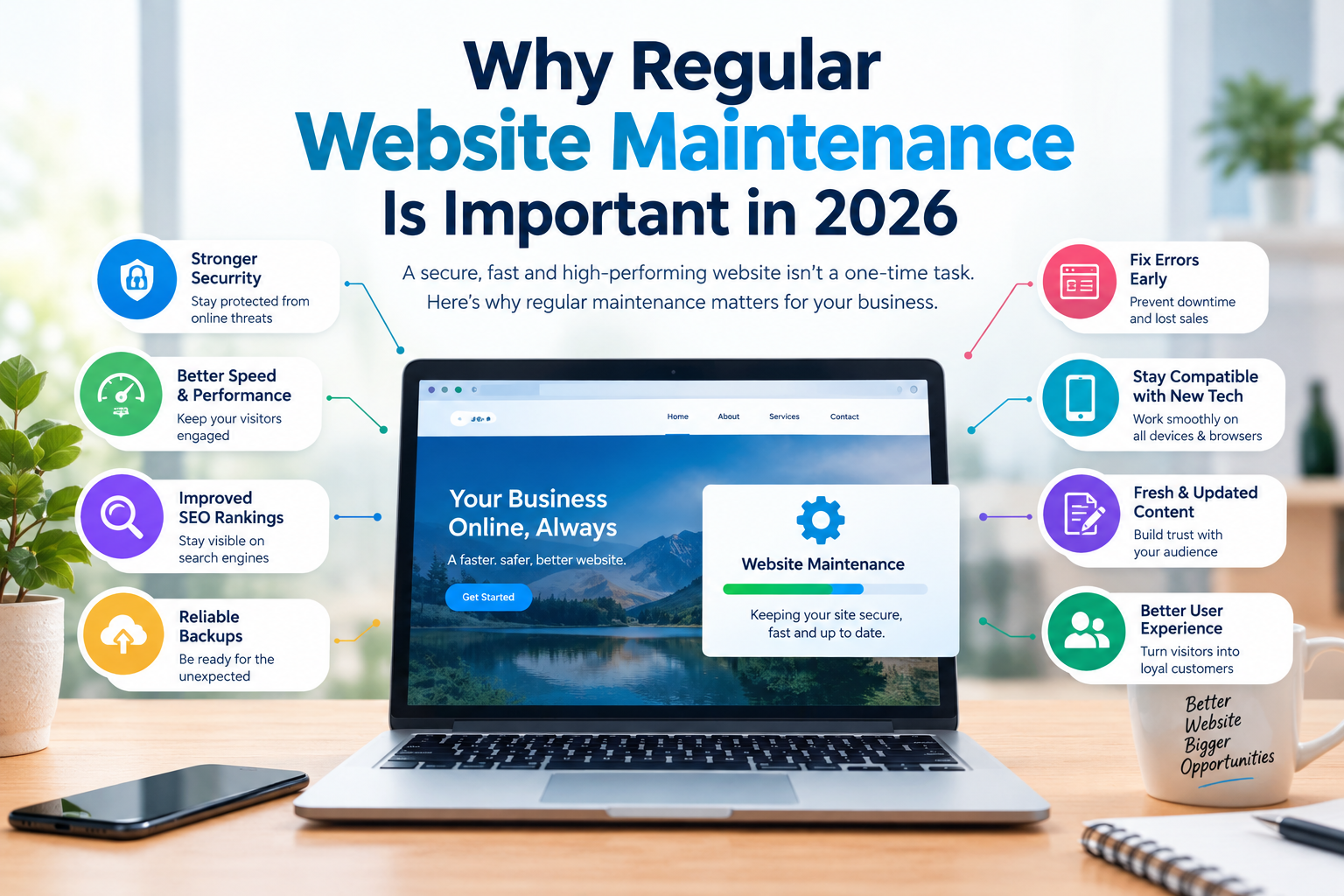
Launching a website is just the beginning of your online journey. Many business owners believe that once their website is live, the work is complete. However, a website requires regular maintenance to remain secure, fast, functional, and relevant.
In 2026, websites face evolving security threats, changing technology, new browser requirements, and increasing user expectations. Without proper maintenance, even a professionally designed website can become slow, outdated, or vulnerable.
Let’s understand why regular website maintenance is essential for every business.
1. Protect Your Website From Security Threats
Website security should never be ignored. Outdated software, themes, and plugins can create vulnerabilities that hackers may exploit.
Regular maintenance helps protect your website through:
- Updating WordPress core, themes, and plugins.
- Monitoring suspicious activity.
- Installing security patches.
- Checking for malware and vulnerabilities.
- Maintaining SSL certificates and secure configurations.
A secure website protects your business information as well as your customers’ data.
2. Improve Website Speed and Performance
Website speed directly affects user experience. Slow-loading pages frustrate visitors and can cause potential customers to leave before exploring your services or products.
Regular maintenance helps improve performance through:
- Image optimization.
- Database cleanup.
- Browser and server-side caching.
- Removing unnecessary scripts and plugins.
- Monitoring Core Web Vitals.
A fast website keeps visitors engaged and creates a smoother browsing experience.
3. Prevent Unexpected Website Errors
Broken links, missing images, malfunctioning forms, and checkout errors can damage your business reputation.
Regular website checks help identify and fix these issues before they affect your customers.
For e-commerce websites, this is particularly important because even a small checkout issue can result in lost sales.
4. Keep Your Website Compatible With New Technology
Technology continuously evolves. Browsers receive updates, hosting environments change, and website platforms introduce new features.
Regular maintenance ensures your website remains compatible with:
- Modern browsers.
- New mobile devices.
- Updated PHP versions.
- WordPress and WooCommerce updates.
- Third-party integrations and payment gateways.
Keeping everything updated helps prevent compatibility problems.
5. Maintain Your Website’s SEO Performance
Website maintenance also plays an important role in SEO.
Technical problems such as broken links, slow loading pages, indexing errors, and outdated content can negatively affect your website’s search visibility.
Regular SEO maintenance should include:
- Checking broken links and redirects.
- Monitoring Google Search Console.
- Reviewing sitemap and indexing status.
- Updating outdated content.
- Monitoring website performance.
- Checking structured data and metadata.
A technically healthy website provides a stronger foundation for long-term SEO.
6. Protect Your Website With Regular Backups
Imagine losing your entire website because of a server failure, hacking attempt, or accidental deletion.
Without a recent backup, recovering your website can become difficult and expensive.
Regular backups help you restore your website when something goes wrong.
Best practices include:
- Scheduling automatic backups.
- Keeping copies of website files and databases.
- Storing backups in a separate secure location.
- Testing backup restoration periodically.
Never depend on a single backup stored on the same server as your website.
7. Keep Your Website Content Updated
Outdated information can make your business appear inactive or unreliable.
Regularly review your website to ensure that:
- Contact information is correct.
- Services and product details are updated.
- Pricing and offers are relevant.
- Old announcements are removed.
- Images and business information reflect your current brand.
Fresh and accurate content improves credibility and helps visitors make informed decisions.
8. Improve User Experience
A website should continue evolving with customer expectations.
Regular maintenance allows you to identify usability issues and improve the overall browsing experience.
You can:
- Improve navigation.
- Fix mobile display problems.
- Update outdated design elements.
- Improve contact forms.
- Simplify the checkout process.
- Make important information easier to find.
Small improvements can make a significant difference in customer satisfaction.
9. Avoid Expensive Emergency Repairs
Ignoring minor website problems can eventually lead to major technical issues.
For example, an outdated plugin might initially cause a small compatibility issue but could eventually break important website functionality.
Preventive maintenance helps identify problems early, reducing the chances of expensive emergency repairs and extended downtime.
How Often Should You Maintain Your Website?
Website maintenance should be an ongoing process. The frequency depends on your website’s complexity, platform, traffic, and functionality.
| Maintenance Task | Recommended Frequency |
|---|---|
| Security monitoring | Daily |
| Website backups | Daily or weekly |
| Plugin and theme updates | Weekly |
| Broken link checking | Monthly |
| Website speed testing | Monthly |
| SEO and content review | Monthly |
| Full website health check | Quarterly |
Note: Always test important updates and maintain a recent backup before applying changes, particularly on business-critical websites.
Final Thoughts
Regular website maintenance is not an optional expense; it is an investment in your business’s online presence.
A well-maintained website remains secure, performs efficiently, provides a better user experience, and supports your long-term digital marketing goals.
At Build Websites, we understand that building a website is only the first step. We also help businesses keep their websites updated, secure, optimized, and running smoothly.
Have a website that needs professional attention? Get in touch with Build Websites and keep your online business running without unnecessary interruptions.
Share this post

Contacts
-
D-45/A/4, Shibalaya, 2nd Floor, Module - S1, Rabindrapally, Kolkata -700086, West Bengal, India
-
We Accept:
