Category: Web Development

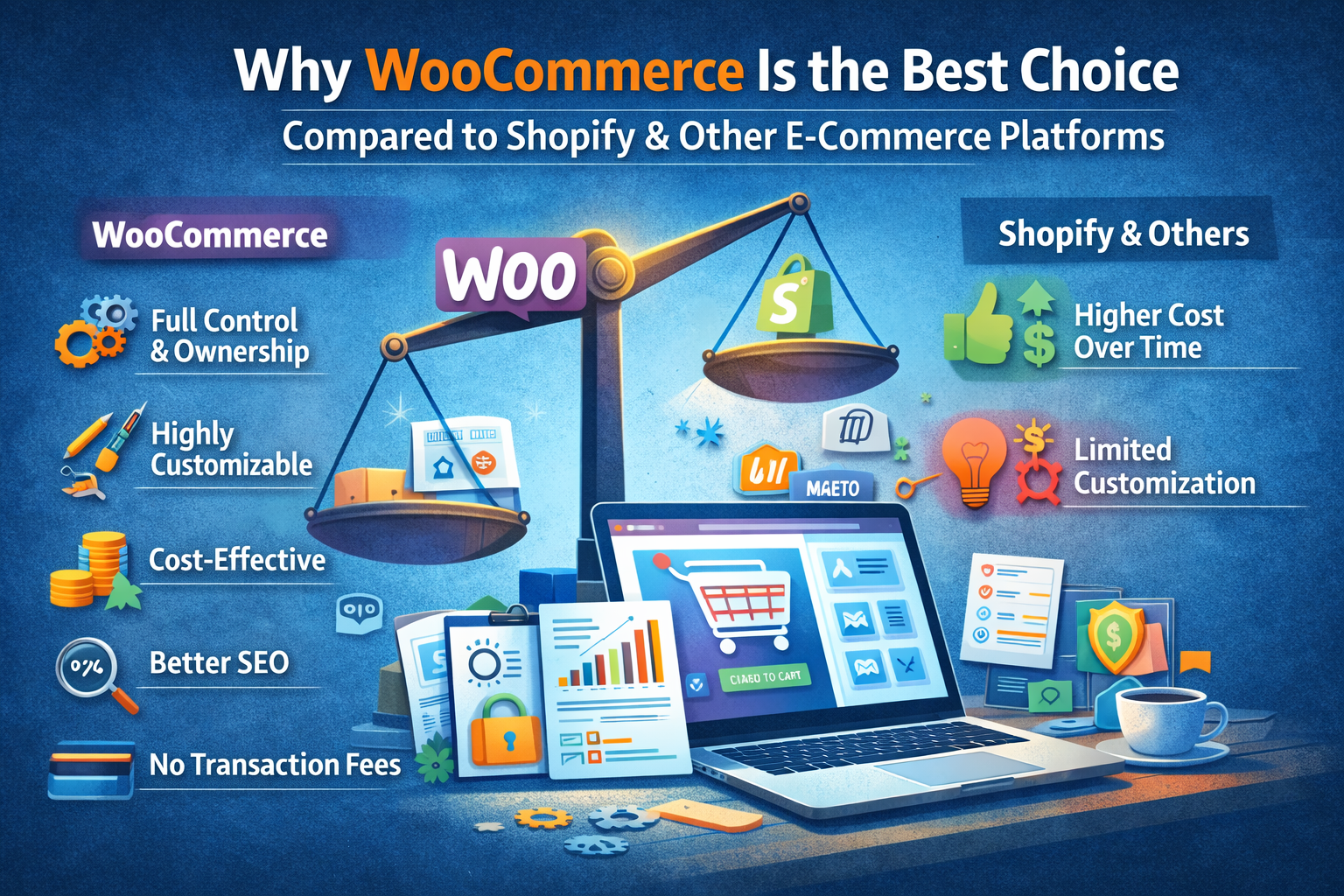
  • Why WooCommerce Is the Best Choice Compared to Shopify and Other E-Commerce Platforms

    Why WooCommerce Is the Best Choice Compared to Shopify and Other E-Commerce Platforms

    Choosing the right e-commerce platform is one of the most important decisions for any online business. With options like Shopify, Wix, Magento, and others available, it can be confusing to decide which one is right.

    However, in 2026, WooCommerce stands out as one of the most powerful, flexible, and cost-effective e-commerce solutions — especially for growing businesses.

    Let’s explore why WooCommerce is often the best choice.

    Complete Ownership and Control

    One of the biggest advantages of WooCommerce is that it gives you full control over your website.

    Unlike Shopify and other hosted platforms:

    • You own your website and data
    • You are not locked into a monthly subscription model
    • You can customize every aspect of your store

    With WooCommerce, your business is not dependent on platform limitations.

    Highly Customizable

    WooCommerce is built on WordPress, which means endless customization possibilities.

    You can:

    • Design your store exactly how you want
    • Add custom features without restrictions
    • Use thousands of plugins and themes
    • Scale as your business grows

    Other platforms often limit customization unless you pay extra or upgrade plans.

    Cost-Effective in the Long Run

    While Shopify charges monthly fees, transaction fees, and app costs, WooCommerce can be much more cost-efficient over time.

    With WooCommerce:

    • No mandatory monthly platform fee
    • Flexible hosting options
    • Free and paid plugins based on your needs

    This makes it ideal for startups and growing businesses.

    Better SEO Capabilities

    WooCommerce, powered by WordPress, is highly SEO-friendly.

    You get:

    • Full control over URLs
    • Advanced SEO plugins
    • Better content management for blogs and pages

    Compared to other platforms, WooCommerce offers more flexibility for ranking on search engines.

    No Transaction Fees

    Many platforms charge additional transaction fees unless you use their payment gateways.

    WooCommerce allows you to:

    • Use any payment gateway
    • Avoid unnecessary transaction charges
    • Optimize payment options for your customers

    Scalability for Growing Businesses

    Whether you’re selling 10 products or 10,000, WooCommerce can scale with your business.

    You can:

    • Add unlimited products
    • Integrate advanced tools
    • Expand functionality anytime

    This makes it suitable for both small and large businesses.

    Strong Community and Support

    WooCommerce has a massive global community.

    This means:

    • Regular updates and improvements
    • Easy access to developers and resources
    • Continuous innovation

    You’re never stuck without solutions.

    When Shopify or Other Platforms Might Work

    While WooCommerce is powerful, platforms like Shopify can be useful for:

    • Beginners who want a quick, ready-made setup
    • Businesses that prefer an all-in-one managed solution

    However, these conveniences often come with limitations and ongoing costs.

    Final Thoughts

    WooCommerce offers the perfect balance of flexibility, control, scalability, and cost-efficiency. For businesses that want long-term growth and complete ownership, it is often the best choice compared to Shopify and other e-commerce platforms.

    At Build Websites, we specialize in building high-performing WooCommerce stores that are designed for growth, conversions, and long-term success.


  • What Makes a Website “Future-Ready” in 2026?

    What Makes a Website “Future-Ready” in 2026?

    The digital world is evolving faster than ever. A website that looks modern today can feel outdated within a year if it isn’t built with the future in mind. In 2026, a future-ready website is not just about design — it’s about performance, adaptability, intelligence, and trust.

    So what truly makes a website future-ready in 2026? Let’s break it down.

    1. Mobile-First and Mobile-Optimised by Default

    In 2026, most users interact with websites exclusively through mobile devices. A future-ready website is designed mobile-first, not adjusted later for mobile.

    This means fast loading on mobile networks, thumb-friendly navigation, readable text, and seamless interactions across all screen sizes.

    2. Lightning-Fast Performance

    Speed is no longer optional. Users expect websites to load almost instantly, and search engines reward fast sites with better rankings.

    A future-ready website focuses on:

    • Optimised images and media
    • Clean, lightweight code
    • Efficient hosting and caching
    • Strong Core Web Vitals scores

    Faster websites lead to better user experience, higher engagement, and more conversions.

    3. AI-Powered Features

    Artificial Intelligence is shaping how users interact with websites. In 2026, future-ready websites often include:

    • AI chatbots for instant support
    • Smart search and content recommendations
    • Personalised user experiences
    • Automated lead qualification

    AI helps websites work smarter, not harder.

    4. Strong Security and Privacy Standards

    Cyber threats are increasing, and users are more aware of data privacy than ever. A future-ready website prioritises security from day one.

    This includes SSL encryption, regular updates, secure hosting, malware protection, and compliance with privacy regulations. A secure website builds trust and protects both the business and its users.

    5. SEO-Ready for Modern Search

    Search engines in 2026 focus on experience, intent, and content quality. A future-ready website is built with SEO in mind, not added later.

    Key elements include proper site structure, fast loading pages, optimised content, accessibility, and compatibility with AI-driven search results.

    6. Scalable and Flexible Architecture

    Your business will grow — and your website should grow with it. A future-ready website is scalable, meaning it can handle new features, higher traffic, and evolving business needs without a complete rebuild.

    Flexible platforms like WordPress, headless CMS, or custom frameworks make future upgrades easier and cost-effective.

    7. Clean, Minimal and Purpose-Driven Design

    In 2026, cluttered websites lose attention quickly. Clean layouts, clear messaging, and intuitive navigation define future-ready design.

    Every section should have a purpose — guiding users toward action, whether that’s contacting you, purchasing a product, or learning more.

    8. Accessibility for All Users

    Future-ready websites are inclusive. Accessibility ensures your website works for users with disabilities and meets global web standards.

    This includes readable fonts, proper colour contrast, keyboard navigation, and screen-reader compatibility — improving usability for everyone.

    9. Easy Maintenance and Regular Updates

    A website is never “done.” Future-ready websites are easy to maintain, update, and monitor.

    From content updates to plugin and security patches, smooth maintenance keeps your website relevant and reliable long-term.

    10. Conversion-Focused Structure

    A beautiful website is useless if it doesn’t convert. Future-ready websites are built around user journeys, clear calls-to-action, trust signals, and friction-free interactions.

    Every page should support a business goal.


    Final Thoughts

    A future-ready website in 2026 is fast, secure, intelligent, scalable, and user-centric. It adapts to changing technology, user behaviour, and business needs — instead of falling behind.

    At Build Websites, we design and develop websites that aren’t just built for today, but prepared for tomorrow. If you want a website that stays relevant, competitive, and high-performing in 2026 and beyond, we’re here to help.

  • Essential Website Pages Every Business Must Have

    Essential Website Pages Every Business Must Have

    A business website is more than just an online presence — it’s your digital storefront, marketing tool, and customer communication hub. But many businesses launch websites without including the essential pages that help build trust, provide information, and convert visitors into customers.

    If you’re planning a new website or upgrading an existing one, here are the must-have pages every business website should include.

    Home Page – Your First Impression

    Your home page is often the first place visitors land. It should clearly explain who you are, what you offer, and why customers should choose your business.

    A strong home page includes:

    • Clear headline and value proposition
    • Overview of services or products
    • Quick navigation to important pages
    • Strong call-to-action

    About Us Page – Build Trust and Credibility

    People want to know the story behind a business. The About page helps create connection and trust by sharing your journey, mission, and expertise.

    Include:

    • Company background
    • Team introduction
    • Experience and achievements
    • Brand values

    Services or Products Page – Showcase What You Offer

    This is where visitors understand what your business provides. Each service or product should be clearly explained with benefits, features, and visuals.

    Make sure to include:

    • Clear descriptions
    • Pricing (if applicable)
    • Images or examples
    • Inquiry or purchase options

    Contact Page – Make It Easy to Reach You

    A contact page is essential for converting interested visitors into leads.

    Include:

    • Contact form
    • Phone number
    • Email address
    • Business location or map
    • Social media links

    Blog or Resources Page – Improve SEO and Engagement

    Regular blog posts help attract organic traffic and position your business as an authority in your field.

    Benefits include:

    • Better search engine visibility
    • Educational content for visitors
    • Long-term marketing value

    Testimonials or Reviews Page – Build Social Proof

    Customer reviews help establish trust and reassure potential clients. Real feedback from happy customers increases confidence and boosts conversions.

    Include:

    • Written testimonials
    • Case studies
    • Before-and-after examples
    • Client logos

    FAQ Page – Answer Common Questions

    An FAQ page reduces customer confusion and saves time by addressing common concerns upfront.

    Common topics include:

    • Pricing or packages
    • Delivery or service process
    • Policies and guarantees
    • Support information

    Privacy Policy and Terms Pages – Ensure Transparency

    Legal pages help protect your business and build credibility. They also show visitors that your website follows proper standards and data protection practices.

    Conclusion

    A successful business website isn’t just about design — it’s about structure. Including the right pages ensures your website informs, engages, and converts visitors effectively.

    At Build Websites, we help businesses create complete, conversion-focused websites with all the essential pages needed to grow online.

  • How Websites Support Digital Marketing Campaigns

    How Websites Support Digital Marketing Campaigns

    Digital marketing campaigns can drive traffic, generate awareness, and bring potential customers to your business — but without a strong website, those efforts often fail to convert. Your website acts as the central hub where all marketing activities lead.

    In 2025, a well-designed website is not just a destination; it’s a powerful marketing tool that supports every stage of your digital campaigns.

    Your Website Is the Conversion Hub

    Whether you run social media ads, Google Ads, email campaigns, or SEO strategies, all traffic eventually lands on your website. If your website isn’t designed to convert visitors into leads or customers, your marketing budget is wasted.

    A conversion-focused website ensures:

    • Clear calls-to-action
    • Simple navigation
    • Fast loading pages
    • Optimized landing experiences

    Landing Pages Improve Campaign Performance

    Dedicated landing pages tailored to specific campaigns significantly increase conversion rates. Instead of sending users to a generic homepage, targeted pages help match user expectations and improve engagement.

    Effective landing pages:

    • Highlight one clear offer
    • Provide focused content
    • Reduce distractions
    • Encourage immediate action

    SEO Strengthens Long-Term Campaign Results

    Search engine optimization helps your website attract organic traffic alongside paid campaigns. A well-structured website supports content marketing, keyword targeting, and long-term visibility.

    SEO-driven websites ensure your marketing efforts continue to deliver results even after campaigns end.

    Website Speed and UX Influence Ad Performance

    Ad platforms often consider landing page experience when determining ad quality scores. Slow or confusing websites increase bounce rates and reduce campaign effectiveness.

    A fast, user-friendly website:

    • Improves engagement
    • Reduces cost-per-click
    • Increases conversions

    Analytics Help Measure Campaign Success

    Your website provides valuable data about visitor behavior. Tracking tools help you understand which campaigns drive results and which need improvement.

    Key metrics include:

    • Conversion rate
    • Bounce rate
    • Session duration
    • User journey tracking

    Content Marketing Lives on Your Website

    Blogs, case studies, and service pages help educate potential customers and support long-term digital marketing strategies. A website acts as the foundation where all valuable content resides.

    Strong content builds authority and nurtures leads over time.

    Retargeting and Automation Depend on Your Website

    Modern marketing uses retargeting pixels and automation tools that rely on website interactions. Without a properly configured website, remarketing campaigns lose effectiveness.

    Your website enables:

    • Retargeting ads
    • Email automation
    • Personalized marketing experiences

    Final Thoughts

    Digital marketing campaigns bring visitors — but your website turns them into customers. In 2025, businesses need websites that support marketing goals through performance, user experience, and conversion-focused design.

    At Build Websites, we create marketing-ready websites that help businesses maximize their digital campaigns and achieve measurable growth.

  • Secure Payment Gateway Options for Indian E-Stores

    Secure Payment Gateway Options for Indian E-Stores

    If you’re running an Indian e-commerce store, choosing the right payment gateway is absolutely essential — not just to accept payments, but to earn customer trust, reduce checkout drop-offs, and protect financial data.

    A secure payment gateway encrypts sensitive payment information, helps prevent fraud, and ensures transactions are smooth and reliable. In India’s booming e-commerce landscape, having secure, trusted payment options can significantly increase conversions and customer satisfaction.

    Here are the best secure payment gateway options for Indian e-stores in 2025:

    🔐 1. Razorpay

    One of the most popular payment gateways in India, Razorpay supports a wide range of payment methods — UPI, credit/debit cards, net banking, wallets and more. Its easy integration, transparent pricing, and PCI DSS compliance make it a top choice for both small stores and large e-commerce businesses.

    Why choose Razorpay:

    • Supports UPI, cards, wallets, and net banking
    • Easy setup with plugins for WooCommerce, Shopify, Magento, etc.
    • Built-in fraud detection and secure checkout


    💳 2. PayU

    PayU is another trusted Indian payment gateway used by many e-commerce sites. It provides multi-channel payment support with strong encryption and compliance standards. Approved by the Reserve Bank of India as a payment aggregator, PayU focuses on reliability and safety.

    Key features:

    • No setup fees in many plans
    • Supports multiple payment modes
    • Detailed analytics and settlement controls

    🛒 3. CCAvenue

    A long-standing player in the Indian payment space, CCAvenue offers one of the broadest payment method supports — including cards, net banking, wallets, UPI and international options. With advanced security checks like 3D Secure and PCI DSS compliance, it’s suited for growing e-commerce businesses.

    Best for: Stores expecting high transaction volume or multi-currency needs.

    📦 4. InstaMojo

    InstaMojo is an easy-to-use gateway ideal for small and medium businesses. It supports UPI, cards, wallets and net banking, and doesn’t charge setup fees, making it beginner-friendly. Its checkout links can even be shared directly via WhatsApp or social media.

    Good fit for: Small stores, freelancers, and digital product sellers.

    💼 5. Cashfree

    Cashfree provides fast, secure e-commerce payments with features like instant settlement, payouts, and mission-critical API support. It supports UPI, wallets, cards, net banking, and more — and is known for smooth integrations and strong performance.

    Best for: Businesses that want quick settlements and automation.

    📱 6. UPI-Enabled Gateways (PhonePe, Paytm & More)

    India’s Unified Payments Interface (UPI) is one of the most secure and widely used payment systems. Many gateways (like Razorpay, Paytm, PhonePe and others) support instant UPI payments, which use encrypted two-factor authentication to protect transactions.

    Benefits of UPI:

    • Instant payment confirmation
    • Lower transaction costs
    • Guaranteed RBI-regulated security

    Tips for Choosing a Secure Payment Gateway

    When selecting a payment gateway for your e-store, consider the following:

    🔒 Security Standards

    Ensure the provider supports PCI DSS compliance, HTTPS encryption, tokenisation and fraud detection tools.

    🔧 Easy Integration

    Look for plugins or APIs that work with your platform (WooCommerce, Shopify, Magento, etc.) to avoid complex development.

    💰 Transparent Fees

    Compare setup fees, transaction charges, settlement time, and refund processing fees.

    📊 Reporting & Analytics

    Good gateways provide dashboards that help you monitor sales, failed transactions, and customer trends.

    📞 Support & Documentation

    Responsive customer support and thorough documentation make troubleshooting easier.

    Final Thoughts

    A secure payment gateway isn’t just about processing payments — it’s about building trust with your customers while reducing friction at checkout. Whether you’re just starting your e-store or looking to upgrade payment options, choosing the right gateway can dramatically improve both user experience and conversions.

    At Build Websites, we help Indian businesses integrate and configure reliable, secure payment systems that align with your brand and audience. Let’s make your checkout experience smooth, secure, and sales-focused.

    👉 Reach out to Build Websites to set up the right payment gateway for your e-store!

  • Essential Plugins Every WordPress Website Should Have in 2025

    Essential Plugins Every WordPress Website Should Have in 2025

    WordPress powers millions of websites worldwide — from business sites to e-commerce stores and blogs. But a core reason WordPress is so flexible and powerful is plugins: tools that extend your site’s functionality without coding.

    With thousands of plugins available, it can be overwhelming to choose the right ones. In 2025, certain plugins have emerged as must-haves for every WordPress site — whether you’re building a simple business website or a fully featured online store. Here’s the list every website owner should know.

    1. SEO Optimization Plugin

    Yoast SEO or Rank Math: A strong SEO plugin helps your content be found on Google and other search engines. It lets you optimise meta titles, descriptions, readability, XML sitemaps, and structured data — essential for ranking and visibility.

    2. Speed & Performance Plugin

    WP Rocket or LiteSpeed Cache: Website speed has a significant impact on user experience and search engine rankings. WP Rocket handles caching, lazy loading, minification, CDN integration, and more. These tools significantly improve performance without technical hassle.

    3. Security Plugin

    Wordfence Security: Security should never be an afterthought. Wordfence provides a firewall, malware scanning, and login protection — exactly what sites need to defend against hacks and brute-force attacks.

    4. Backup Solution

    UpdraftPlus: Regular backups are critical. UpdraftPlus lets you schedule automatic backups to cloud storage (Dropbox, Google Drive, etc.) and restores your site quickly if something goes wrong.

    5. Page Builder

    Elementor: A drag-and-drop design plugin that makes building beautiful responsive pages easier — especially if you’re not coding from scratch. It offers templates, widgets, and powerful design controls

    6. Contact & Lead Form Plugin

    WPForms: Forms help you capture leads, enquiries, survey responses, and more. WPForms is beginner-friendly with drag-and-drop form building and integrations with email services.

    7. Image Optimization Plugin

    Smush (or ShortPixel): Large images slow your site. Tools like Smush compress and convert images to modern formats (WebP/AVIF), improving load speeds and Core Web Vitals.

    8. E-Commerce Plugin (if selling online)

    WooCommerce: If you run an online store, WooCommerce is the most popular e-commerce plugin, fully integrating product management, payments, shipping, and more into WordPress.

    9. Analytics Integration

    MonsterInsights: Track your visitors, behaviours, conversions, and traffic sources right from your WordPress dashboard. This helps you improve your site based on real data.

    10. Multi-Language Support (Optional)

    TranslatePress: If you want to reach international audiences, multilingual support is essential. TranslatePress lets you translate your entire site into multiple languages.

    Final Thoughts

    Plugins make WordPress powerful, but quality matters. Too many plugins can slow your website and create security risks. Choose well-maintained, regularly updated plugins that align with your goals.

    Whether you’re launching a business site, blog, or e-commerce store, these plugins help ensure your WordPress site is fast, secure, optimised, and ready for growth in 2025.

    At Build Websites, we help you choose and configure the right WordPress plugins — so your website performs beautifully and scales with your business.

    👉 Need help setting up your WordPress site correctly? Contact Build Websites today!

  • E-Commerce Website Design Trends for 2025

    E-Commerce Website Design Trends for 2025

    Introduction

    As online shopping continues to evolve at lightning speed, your e-commerce website needs to stay ahead of design trends—not just for looks, but for performance, user trust and conversions. In 2025, design is more than aesthetics—it’s about personalisation, immersion, speed, sustainability and smart interaction. At Build Websites, we specialise in creating online stores that don’t just look good—they win.

    1. AI-Driven Personalisation

    In 2025, websites will use AI and machine-learning to deliver hyper-personalised shopping experiences: tailored homepages, dynamic product lists, smart search, chat assistants and even layout changes per user. 
    For example, a returning customer might see a custom banner, product recommendations and colours based on their past behaviour.
    Takeaway: Use AI-powered recommendation engines and dynamic content blocks to make each visitor feel seen.

    2. Immersive 3D, AR/VR & Interactive Product Views

    To reduce purchase hesitation and boost engagement, 3D models, AR “try-ons”, VR showrooms and interactive product visualisations are increasingly common.
    Takeaway: If you sell products that benefit from seeing in real-space (furniture, fashion, accessories) invest in immersive visuals.

    3. Mobile-First & Super-Fast Performance

    Mobile commerce is dominant, so a mobile-first layout, optimized images, PWA (progressive web app) features, minimal load time and snappy checkout are non-negotiables. 
    Takeaway: Build with mobile in mind first, then scale to larger screens. Test on real smartphones. Prioritise speed and responsive UX.

    4. Minimalist, Clean Design with Purpose

    Simplicity is powerful. In 2025, e-commerce designs lean towards minimalism: ample whitespace, clean typography, strong CTAs, and layouts built for clarity not clutter. 
    Takeaway: Remove non-essential elements. Let your products shine. Ensure navigation and purchase path are crystal clear.

    5. Micro-Interactions, Smooth Transitions & Asymmetry

    Small animations, hover feedback, subtle motion and even non-traditional layouts (diagonals, asymmetry) are rising to create more engaging browsing experiences.
    Takeaway: Use micro-animations where they enhance UX (e.g., ‘Add to Cart’ feedback), but balance with performance. Explore layouts beyond strict grids for visual impact.

    6. Voice Commerce, Conversational UI & Advanced Search

    With voice assistants and smart devices increasing, designing for voice search, conversational UI (chatbots/voice commands), and advanced search/filter will matter more. 
    Takeaway: Structure content for voice keywords (“buy red sneakers size 9”), build chat/voice assistants where it fits, and upgrade search capabilities.

    7. Dark Mode, Accessibility & Inclusive Design

    Dark mode layouts, high-contrast themes and strong accessibility are no longer extras—they’re expectations. Accessibility supports trust, usability and brand reputation. 
    Takeaway: Offer dark mode toggle, ensure color contrast meets standards, use proper alt texts/headings, and test for keyboard/voice control usability.

    8. Sustainability & Ethical Design

    Consumers increasingly care about sustainability and brand values. Websites will reflect this via eco-friendly visuals, efficient code, low-energy hosting and transparent design. 
    Takeaway: Consider green-hosting, optimise resource usage, communicate your sustainability efforts, and design with purpose.

    9. Bold Typography & Expressive Visuals

    In 2025, typography takes centre stage. Big, bold fonts, expressive imagery, and colour schemes that reflect brand personality will help you stand out.
    Takeaway: Choose standout fonts for key headings, maintain readability, and use a visual hierarchy that guides user focus to actions.

    10. Headless Commerce & Modular Architecture

    Technical architecture will influence design. Headless CMS/e-commerce means the front-end is decoupled from backend logic—giving flexibility to deliver experiences across web, mobile, IoT, etc. 
    Takeaway: If you plan to scale or integrate multiple touch-points (apps, kiosks, IoT), choose a modular, future-ready architecture now.

    Conclusion

    Design in 2025 isn’t just about what looks good—it’s about what works. A successful e-commerce website marries aesthetics with experience, speed, intelligence, and values. For your next online store or redesign, prioritise performance, personalisation and purpose. At Build Websites, we build e-commerce platforms that are future-proof, conversion-focused and designed to scale. Let’s talk about how your store can lead—not follow.

  • Why Responsive Design Is a Must in 2025?

    Why Responsive Design Is a Must in 2025?

    Introduction

    In 2025, a responsive website is no longer a “nice-to-have” — it’s essential. With the majority of web users browsing on phones, strict mobile-first indexing, and Google’s continued focus on page experience, a site that doesn’t adapt to different screen sizes loses traffic, rankings, and customers. If your website isn’t built responsively, you’re leaving money — and credibility — on the table.

    1. Mobile users dominate the web (and the trend keeps growing)

    Globally, mobile devices now account for roughly six out of ten website visits — a share that’s still rising. That means most of your visitors will first see your website on a small screen; if the layout breaks or call-to-actions are hard to tap, they’ll leave fast. Designing responsively ensures your message and conversion paths work equally well on phones, tablets, and desktops.

    2. Google indexes and ranks mobile content first

    Google uses the mobile version of a page for indexing and ranking (mobile-first indexing). Practically, this means the content and structure available to Google’s smartphone crawler determine how your site appears in search results. If your mobile site is a pared-down or broken version of your desktop site, your SEO will suffer. A responsive site guarantees parity — the same content, structured correctly across all devices.

    3. Page experience (Core Web Vitals) ties into mobile usability

    Google’s Page Experience signals — especially Core Web Vitals (loading speed, interactivity, visual stability) — remain important ranking factors. Responsive design is tightly linked to these metrics: adaptive images, proper layout shifts, and mobile optimizations all improve loading performance and perceived speed on small devices, reducing bounce rates and improving conversions.

    4. India’s mobile-first growth makes responsiveness a local necessity

    India continues to lead in mobile data consumption and 5G adoption, with per-capita data usage and smartphone penetration growing rapidly. For businesses targeting Indian customers, optimizing for mobile isn’t optional — it’s the primary path to reach an audience that increasingly shops, searches, and hires services on smartphones.

    5. Better UX = better conversions and lower churn

    Studies and industry reports consistently show responsive sites lead to higher engagement and better conversion rates. Users are likelier to stay, interact with your contact forms, and complete purchases when navigation is predictable and elements are sized correctly for touch interaction. In short: a good mobile experience directly improves business metrics.

    Illustration comparing static and dynamic webpage layouts on desktop and mobile — responsive web design concept for 2025

    Practical reasons responsive design beats separate mobile sites

    • Single codebase / easier maintenance: One responsive site is cheaper to update and less error-prone than maintaining separate desktop and mobile versions.
    • Consistent SEO signals: No need to manage duplicate content, redirects, or alternate URLs — responsive sites give Google and social platforms a single canonical experience.
    • Future-proofing: New devices (foldables, watches, TVs) are easier to support if the site scales fluidly.
    • Faster development with modern tools: Frameworks and component systems (responsive CSS grids, flexbox, utility frameworks) make responsive builds efficient and maintainable.

    Responsive design checklist: what to audit or implement today

    Use this checklist to make sure your site is truly responsive and conversion-ready:

    • Mobile viewport and meta tags<meta name="viewport" content="width=device-width, initial-scale=1">.
    • Fluid layout & breakpoints — avoid fixed-width containers; design using a mobile-first CSS approach.
    • Responsive images — use srcset, sizes, and modern formats (WebP/AVIF).
    • Touch-friendly UI — large buttons (min 44px), ample spacing, avoid hover-only interactions.
    • Critical content parity — ensure same key content (headlines, contact info, CTAs) appears on mobile.
    • Test Core Web Vitals — LCP, FID/INP, and CLS should meet good thresholds.
    • Use a CDN & caching — speed is essential on mobile networks.
    • Accessibility & readability — legible font sizes, adequate contrast, and line lengths for small screens.
    • Form optimization — minimize fields, use appropriate input types, and enable autofill.
    • Cross-device testing — test on real devices and emulators for multiple form factors.

    When responsive might not be enough (and what to do)

    For highly personalized web apps or complex marketplaces, you might need progressive web apps (PWAs), dedicated native apps, or server-side rendering strategies to match performance goals. But even in these cases, responsive principles still matter: every app landing page and marketing funnel should remain responsive to capture and convert mobile traffic effectively.

    Conclusion — responsive is business strategy, not just design

    In 2025, responsive design sits at the intersection of UX, SEO, and conversion optimization. With the majority of traffic coming from mobile devices, Google relying on mobile content for ranking, and user expectations for fast, stable experiences rising, responsive websites are the baseline for digital success. If your site isn’t responsive — or if your mobile experience feels like an afterthought — it’s time to act.

    Need your website audited for mobile readiness or want a responsive redesign that converts? At Build Websites, we build mobile-first websites optimized for speed, accessibility, and conversions. Contact us for a free quick audit.

  • What to Do After Launching Your New Website

    What to Do After Launching Your New Website

    Launching your website is a big milestone — but it’s only the beginning. Many businesses assume their job is done once the website goes live. In reality, what you do after launch plays a huge role in your website’s success.

    Here’s a practical checklist to help you make the most of your newly launched website.

    1. Test Everything Thoroughly

    After launch, test every part of your website again. Check contact forms, buttons, menus, links, and downloads. Make sure emails are being delivered correctly and that forms are reaching the right inbox.

    Also test your website on different browsers and devices to ensure it works smoothly everywhere.

    2. Set Up Google Analytics and Search Console

    Tracking is essential. Connect your website with Google Analytics to understand visitor behaviour, traffic sources, and popular pages.

    Google Search Console helps you monitor how your site appears in search results, detect indexing issues, and improve SEO performance.

    Without these tools, you’re flying blind.

    3. Check Website Speed and Performance

    Website speed directly impacts user experience and search rankings. Use tools like PageSpeed Insights to check loading speed and performance issues.

    Optimise images, enable caching, and ensure your hosting environment is reliable. A fast website keeps visitors engaged and reduces bounce rates.

    4. Ensure Basic SEO Is in Place

    Make sure each page has proper meta titles and descriptions, heading structure, and optimised images with alt text.

    Submit your sitemap to search engines and ensure your website is indexable. These small steps help your website get discovered faster.

    5. Secure Your Website

    Security should never be an afterthought. Ensure SSL is active, plugins and themes are updated, and strong passwords are used.

    If you’re using WordPress, install a trusted security plugin to protect against malware, spam, and hacking attempts.

    6. Create a Content Plan

    A website without fresh content can quickly become inactive. Plan regular blog posts, updates, or announcements that provide value to your audience.

    Consistent content helps with SEO, builds trust, and keeps your website relevant.

    7. Connect Your Website to Social Media

    Link your website with your social media profiles and add social sharing buttons where relevant. Promote your website launch across all platforms to drive initial traffic.

    Social signals also help build credibility and visibility.

    8. Set Up Backups

    Always have a backup system in place. Automatic backups protect your website from data loss due to technical failures or cyber attacks.

    This ensures peace of mind and quick recovery if something goes wrong.

    9. Monitor and Improve Regularly

    Once your website is live, review its performance regularly. Track visitor behaviour, page performance, and conversions.

    Use these insights to improve content, navigation, and user experience over time.

    10. Get Professional Support When Needed

    Managing a website is an ongoing process. Having expert support ensures your website stays secure, fast, and updated.

    At Build Websites, we help businesses maintain, optimise, and grow their websites long after launch.